Contact

Restaurant POS system · Multi-language

The restaurant POS for your counter, kitchen and tables.

Take orders, run the kitchen and take payment, with membership built in to bring guests back. Add table-side ordering, a kiosk and a waitlist when you need them.

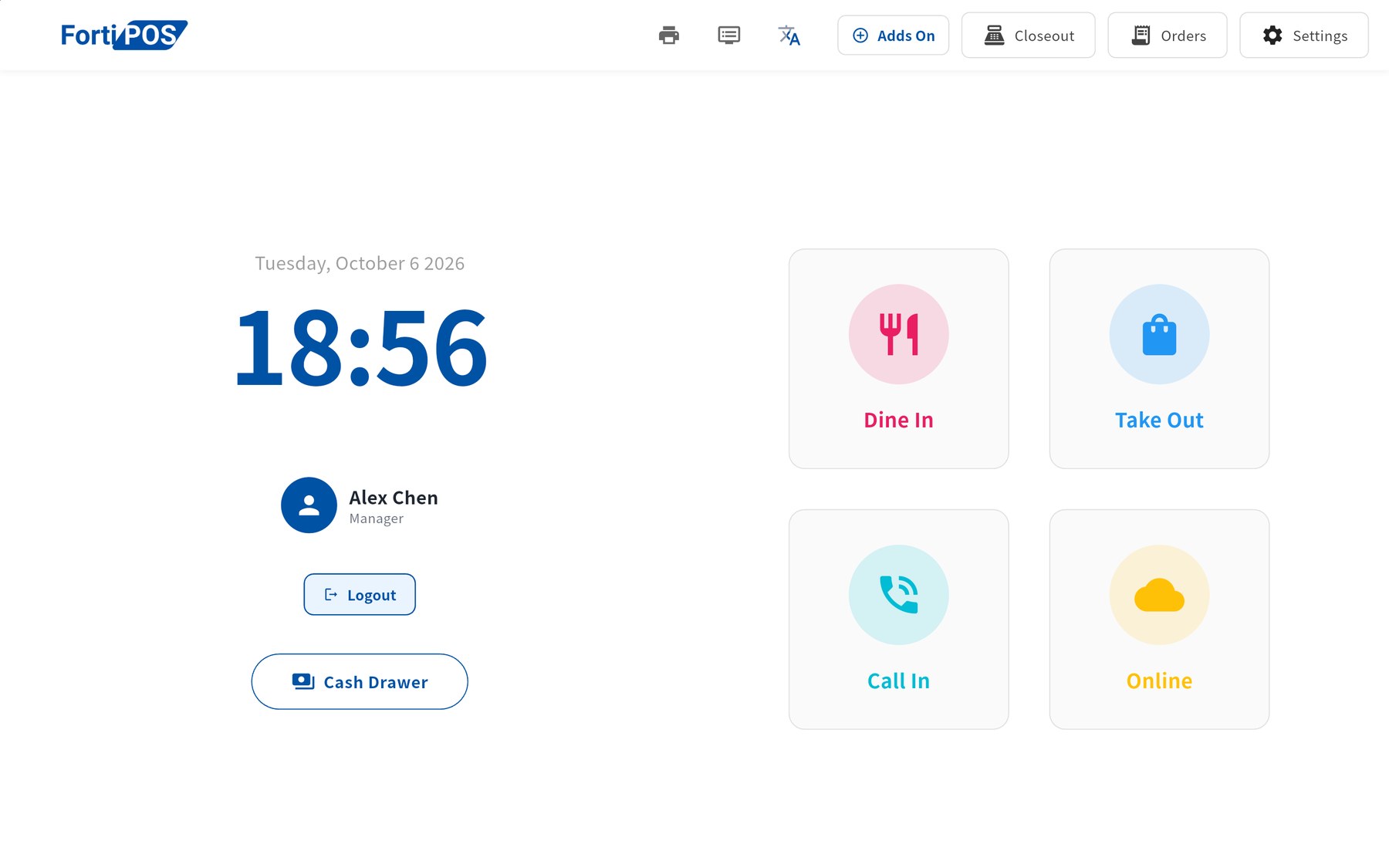
FortiPOS on a tablet: start a Dine In, Take Out, Call In or Online order, with Orders, Closeout and Settings along the top.

Membership

Turn one visit into regulars.

Membership is built into every FortiPOS screen, not bolted on. Guests join with their phone number at the table, on a kiosk or at the counter, and every reward runs automatically.

One membership across your restaurants

Own more than one restaurant? Put them in a group and members earn and spend points and prepaid balance at any of them. Balances settle between the restaurants for you.

  • Referrals two levels deepMembers earn when a friend they invite orders, and again when that friend invites someone. Rewards are held for a set period before release, so they can't be gamed.
  • Prepaid balance with bonus tiersGuests top up in advance and get a bonus by amount or percentage, like top up $200 and get $20.
  • Welcome and birthday bonusesGiven automatically when a guest joins and once a year in their birthday month.
  • Member tiersTiers by lifetime spend, so your best guests stand out at the counter.
  • SMS campaignsText members by audience, such as this month's birthdays, from your dashboard.
  • Gift cards and couponsSold and redeemed on the same bill as points and cash.
On the floor

Order and pay right at the table.

Servers carry a Clover handheld, so nobody walks back to the counter to send an order or run a card.

Server handheld

Clover

Pick a table, add items, split the bill and take the card payment on the same device.

  • Live table list by section, always matching the register
  • Card payment on the Clover device itself
  • A Clover at the counter can take card payments for the register
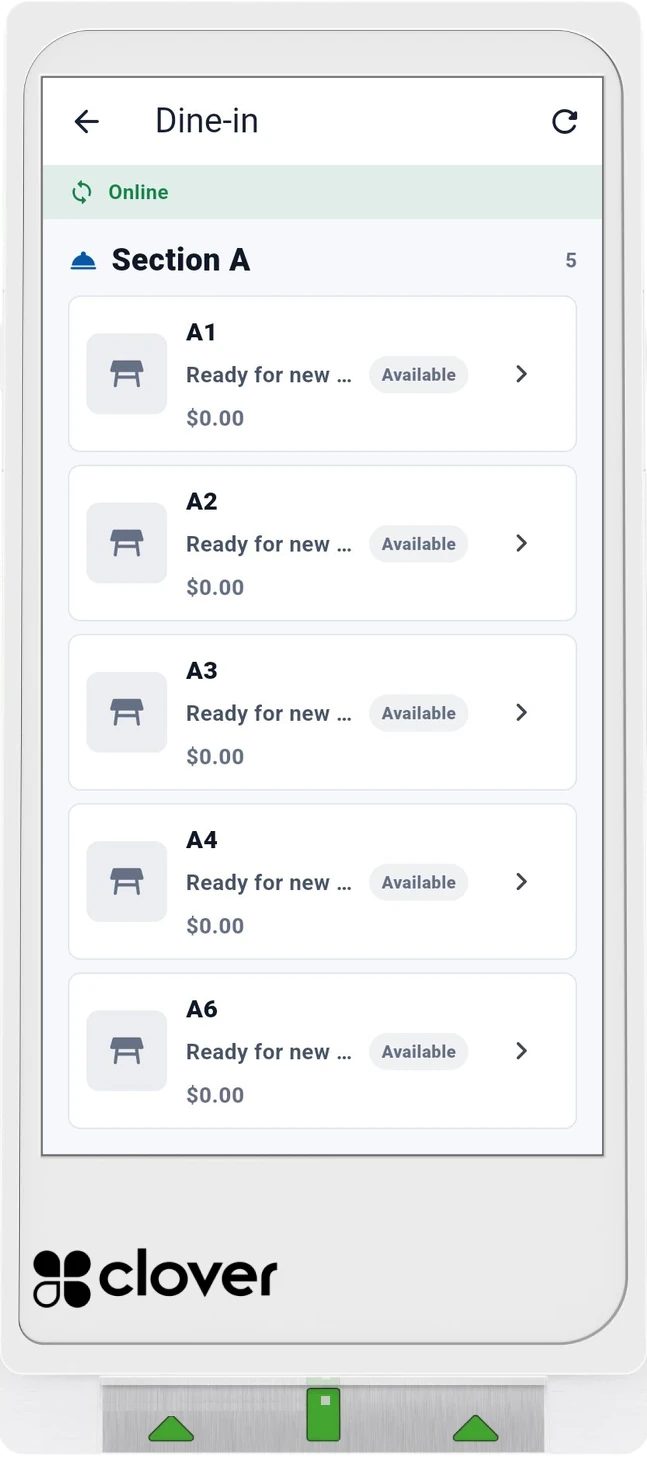
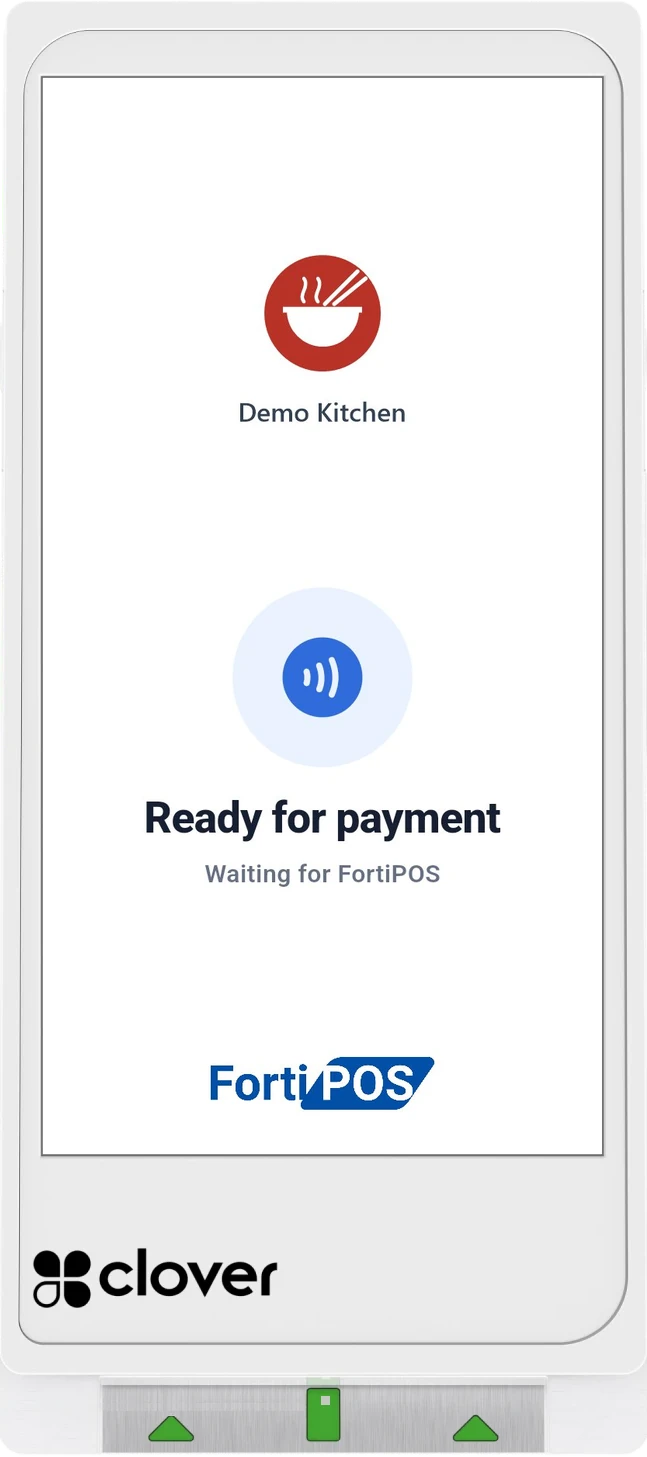
Server handheld on a Clover Flex Pocket: dine-in table list for Section A, all tables available. Clover Flex Pocket at the counter, ready for a card payment, showing the restaurant logo.
In the kitchen

Tickets the line can read at a glance.

Every order lands on the kitchen display the moment it is sent, color-coded by type, with a running timer.

Kitchen display

Windows · Android

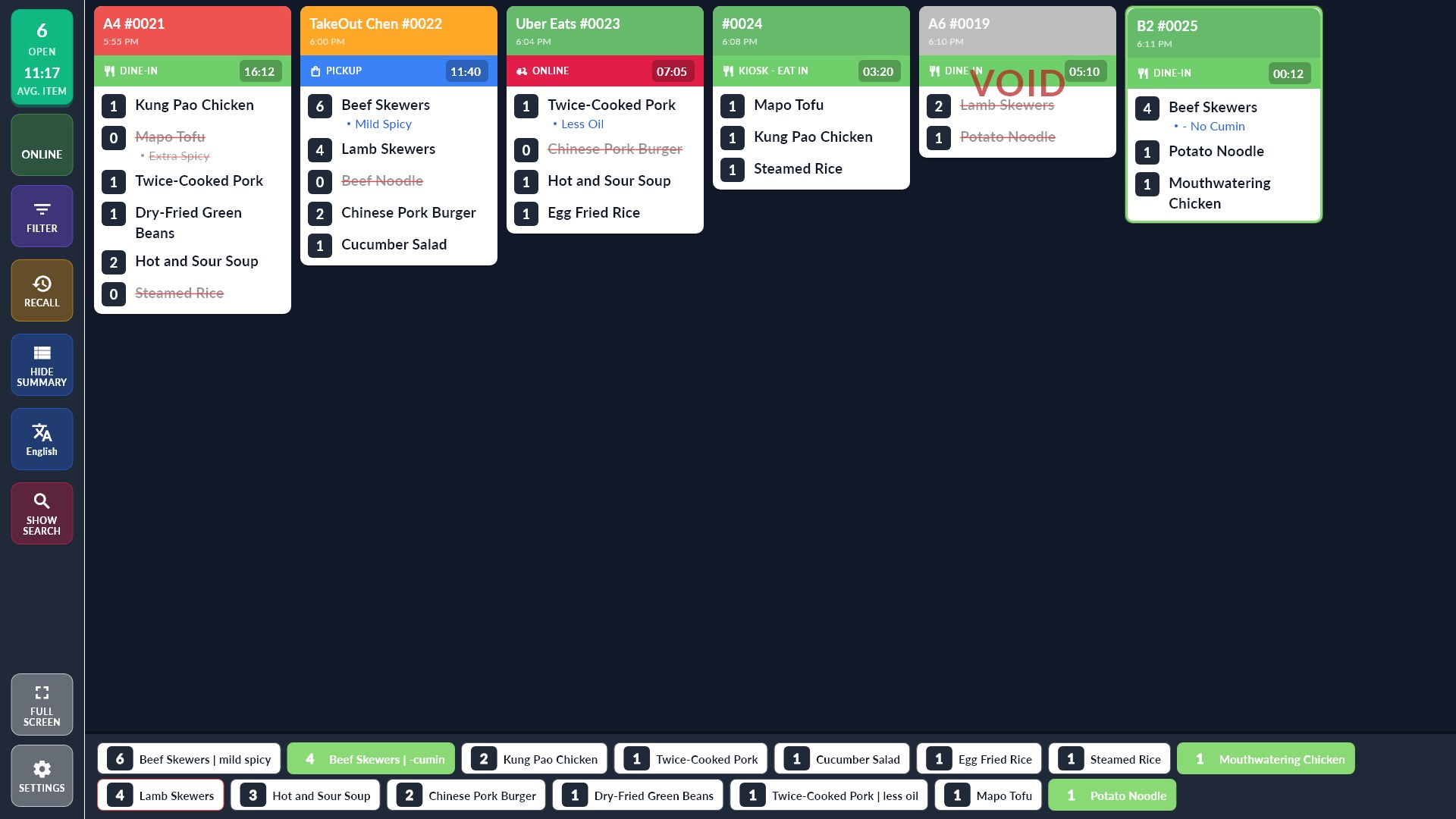
Every ticket shows its order type, table and minutes waiting, and turns orange then red as it runs late. Cooks tap items to cross them off, and voided orders show clearly so nothing gets cooked by mistake.

  • A summary bar counts what is still to cook across all tickets
  • Bring back finished tickets, and filter or search them
  • Optional item colors and kitchen-only remarks
  • Prints a kitchen slip when an item is struck off
Kitchen display · Classic
Kitchen display with six tickets: a late dine-in, a pickup, an Uber Eats delivery, a kiosk eat-in order, a voided ticket and a new table outlined in green, with finished items crossed off and the summary bar counting what is left to cook; the new table's dishes are green.
Classic: one row of tickets, oldest on the left.
Kitchen display · Tiled
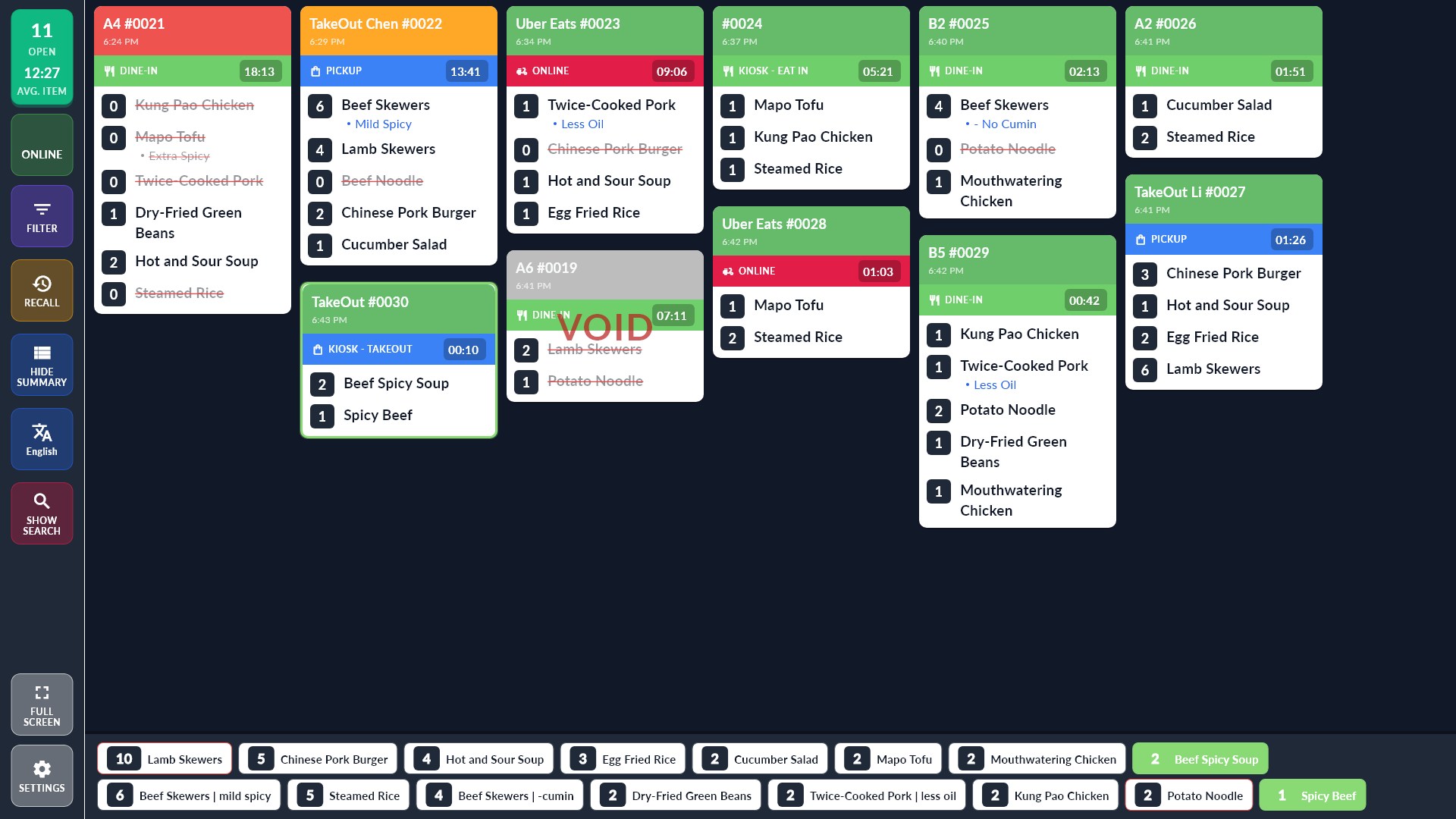
Kitchen display in the Tiled layout with Fill gaps: eleven tickets in six columns, each new ticket placed in the shortest column. The newest, a kiosk takeout order, is outlined in green and only its dishes are green in the summary bar.
Tiled, Fill gaps on: more tickets, each in the shortest column.
At the table

Guests order for themselves.

A tablet on the table, or a QR code the guest scans with their own phone. Orders go to the register and the kitchen like any other order.

Table tablet

Android tablet

A tablet that stays on one table. Guests browse full-screen dish photos, order in rounds, and see what is already ordered.

  • Sign in or join by phone number, or order as a guest
  • Recommended dishes and photo menu
  • Running table total with GST
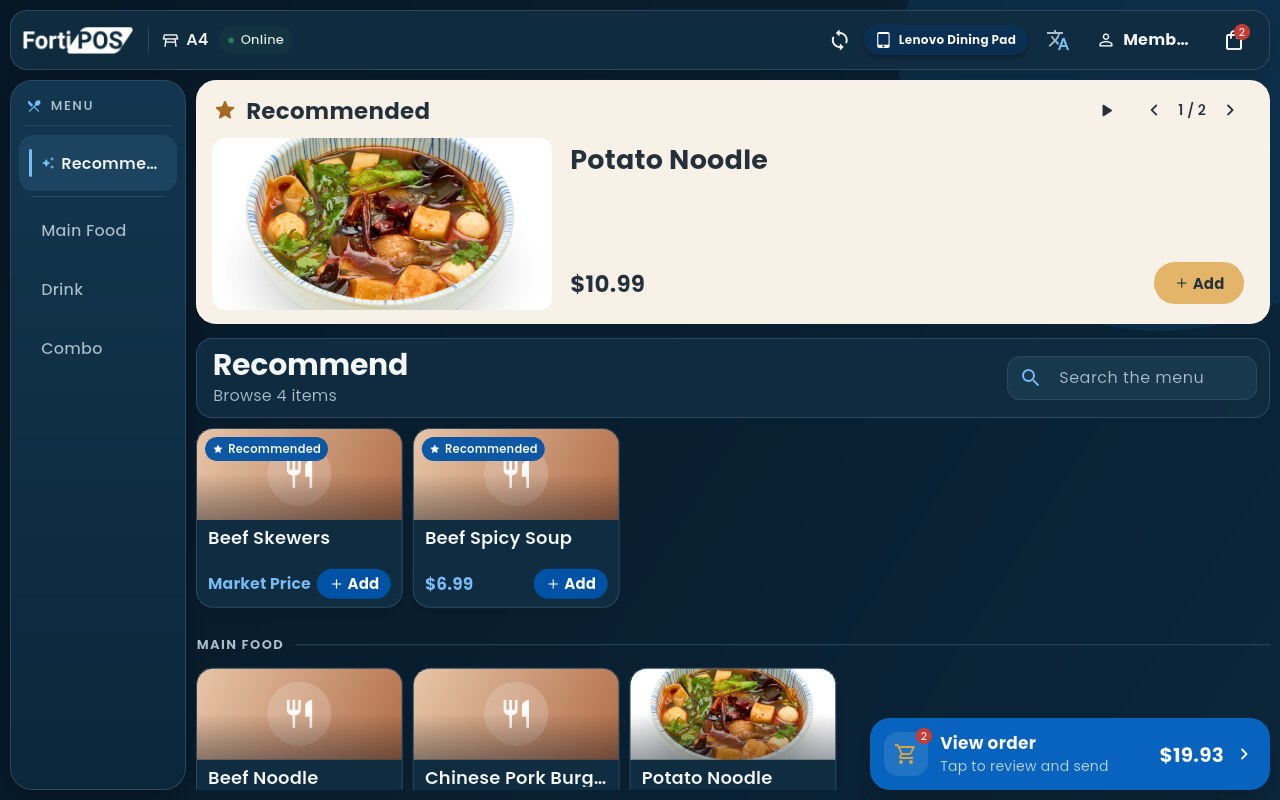
Table tablet photo menu with recommended dishes, prices and Add buttons, and a View order button showing $19.93.
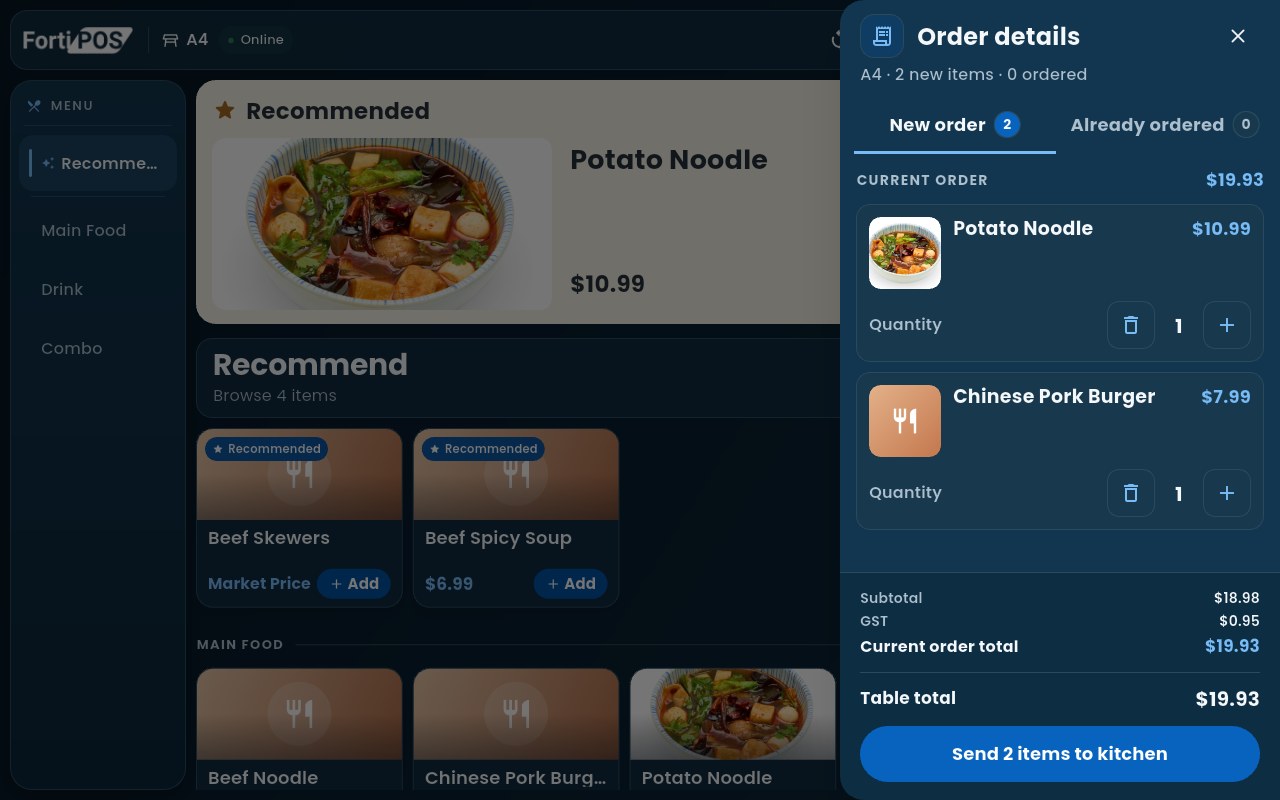
Table tablet order details: Potato Noodle and Chinese Pork Burger, total $19.93, Send 2 items to kitchen.

QR code ordering

Any phone, no app

Every table gets its own QR code. Guests scan it with their phone camera, see the photo menu with the table already filled in, and send their order straight to the kitchen.

  • Your own banner photo and restaurant name at the top
  • Table number and party size set from the QR code
  • Order more rounds from the same phone during the meal
  • Join as a member and earn points while ordering
  • Menu in multiple languages, switched in one tap
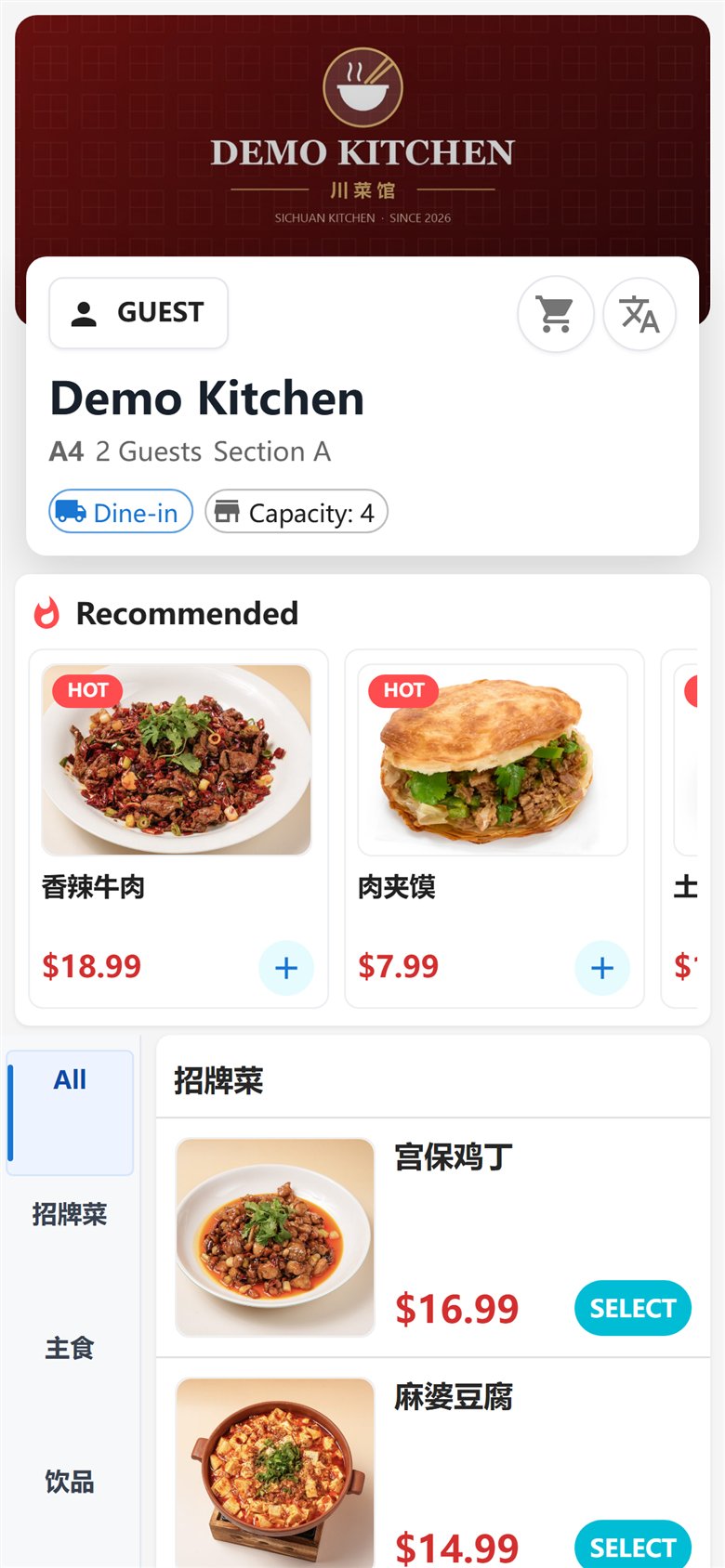
The menu that opens on the guest's phone after scanning: the restaurant's banner photo, Demo Kitchen, table A4 with 2 guests, recommended dishes and the signature menu with photos and prices.
At the door

Busy nights, handled at the entrance.

A waitlist guests join themselves, and a kiosk for counter-service ordering.

Waitlist

Windows · Android

Guests add their name, phone and party size. The host sees a live queue, and guests get a text when their table is ready.

  • Self check-in with the restaurant's own logo
  • Live queue for the host
  • Reservations managed from your dashboard
Waitlist · Guest check-in
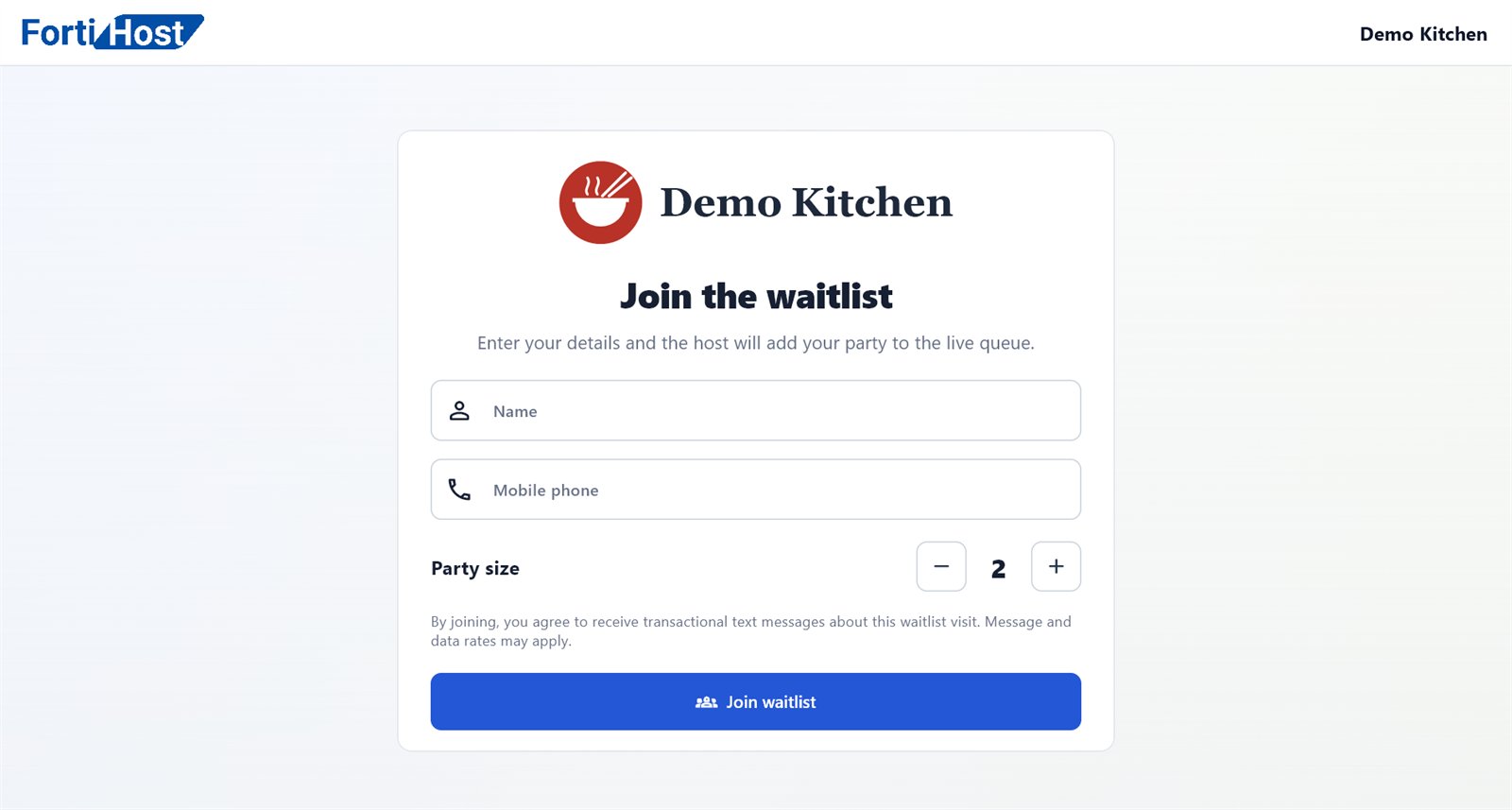
Waitlist check-in screen with name, phone and party size.

Self-order kiosk

Android tablet

A self-order kiosk for counter-service restaurants. Guests browse by category, check out, and the order goes straight to the kitchen.

  • Large, simple category menu
  • Legal drinking age confirmation for alcohol
  • Multi-language support
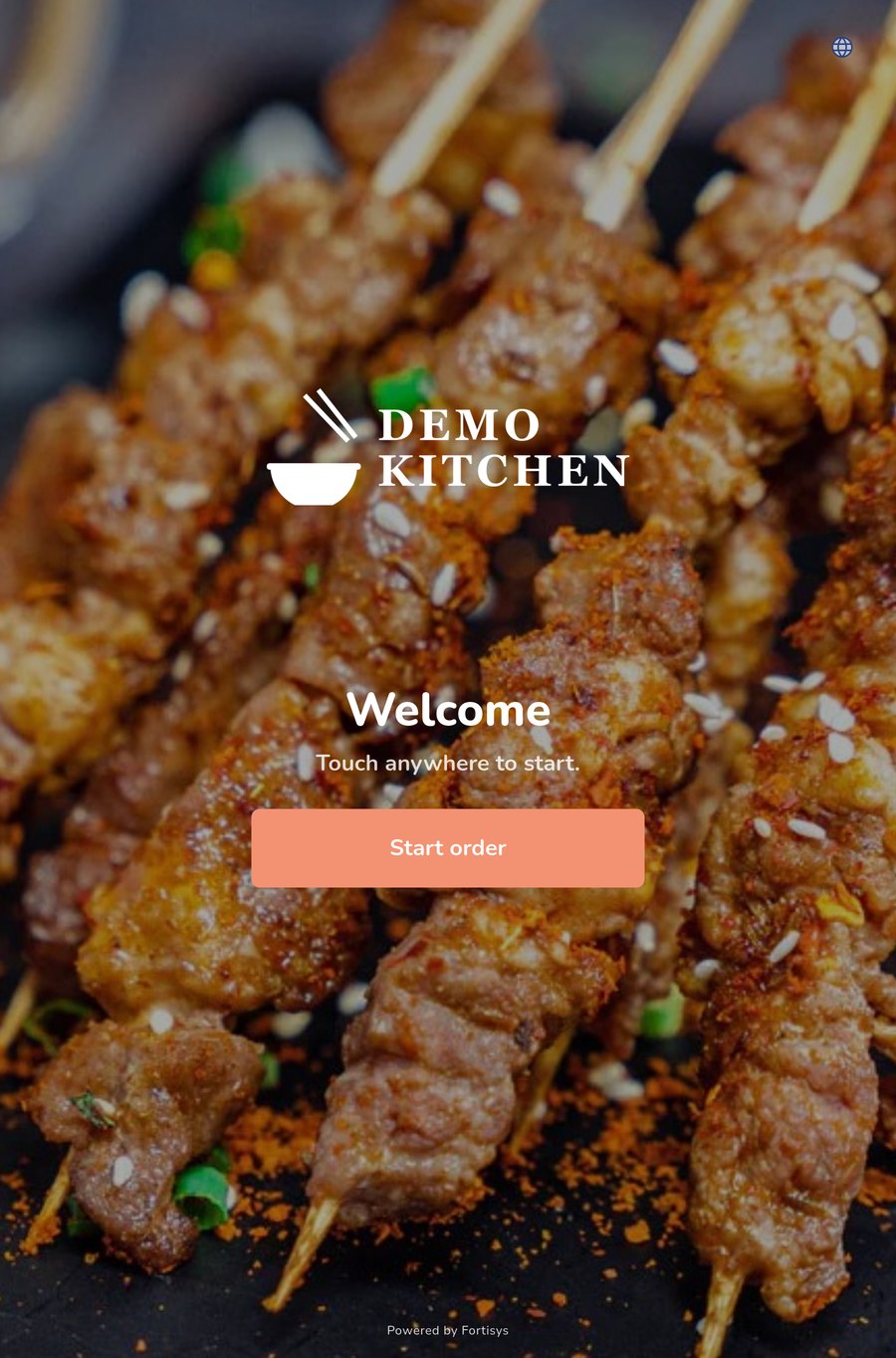
Kiosk start screen for Demo Kitchen: a full-screen food photo, Welcome, and a Start order button.
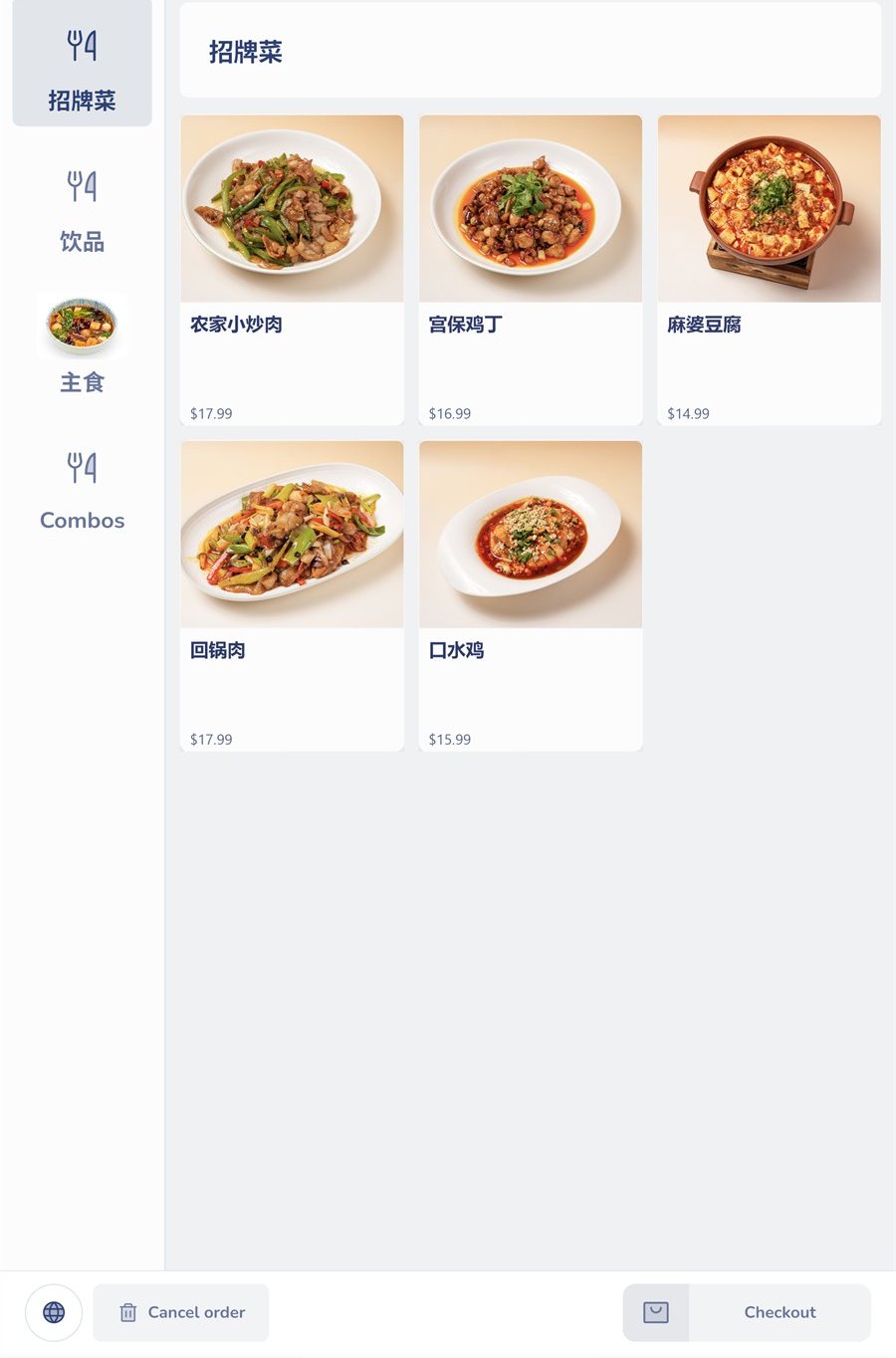
Kiosk menu screen: categories on the left, dishes with photos and prices, and Cancel order and Checkout at the bottom.
In the office

Run it all from a browser.

Your online dashboard is where you set up the menu, devices and staff, and see every order.

Online dashboard

Any browser

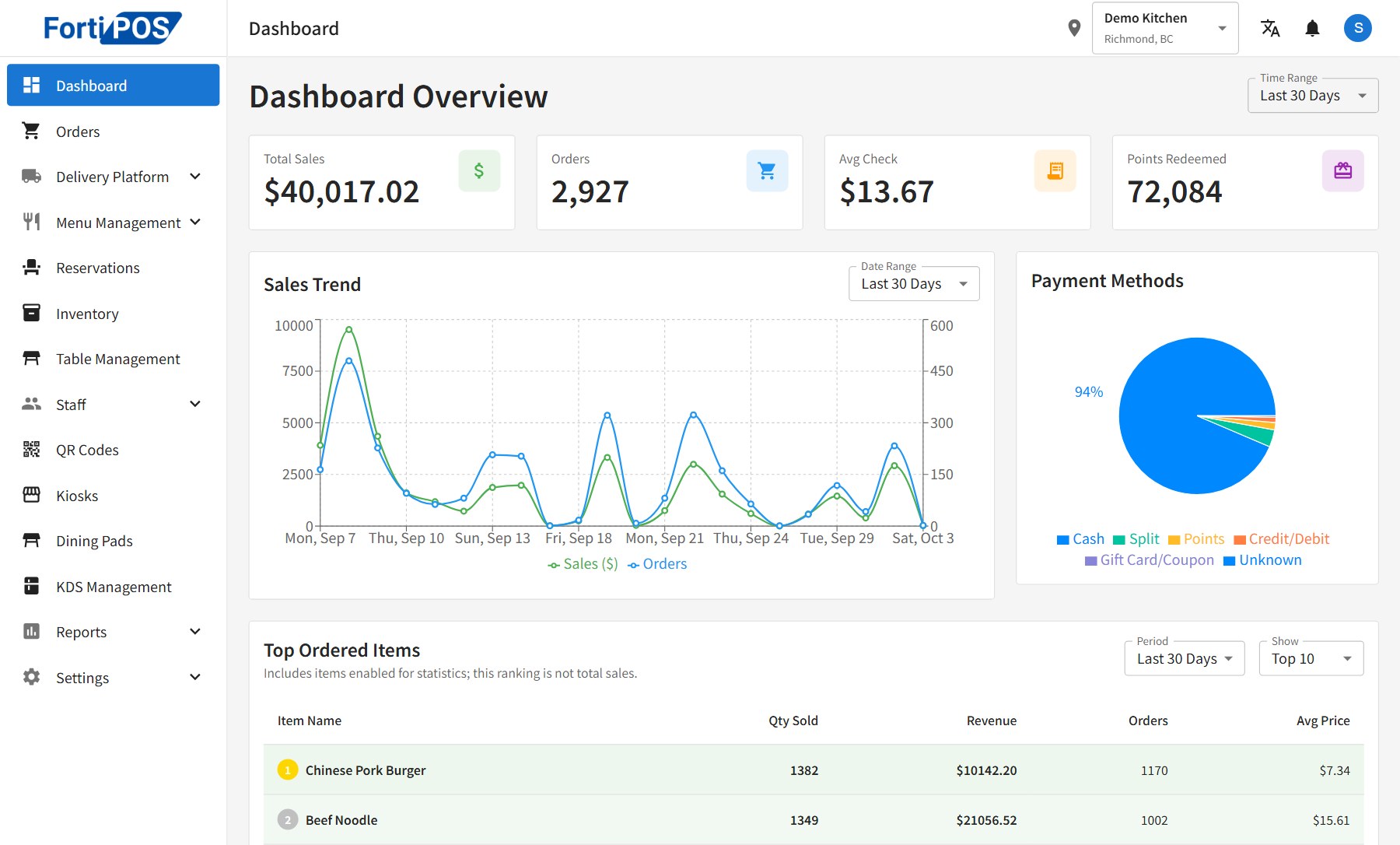
Menu, tables, staff, kiosks, table tablets and kitchen displays, all in one place. Changes reach every device.

  • Orders by day, month or year, with Excel export
  • Menu import and export by spreadsheet
  • Loyalty points, gift cards and SMS
  • Reservations, inventory and delivery platforms
Online dashboard for the last 30 days: total sales, orders, average check and points redeemed, a daily sales and orders chart, payment methods, and the top ordered items.